SocksDroid
Screenshots
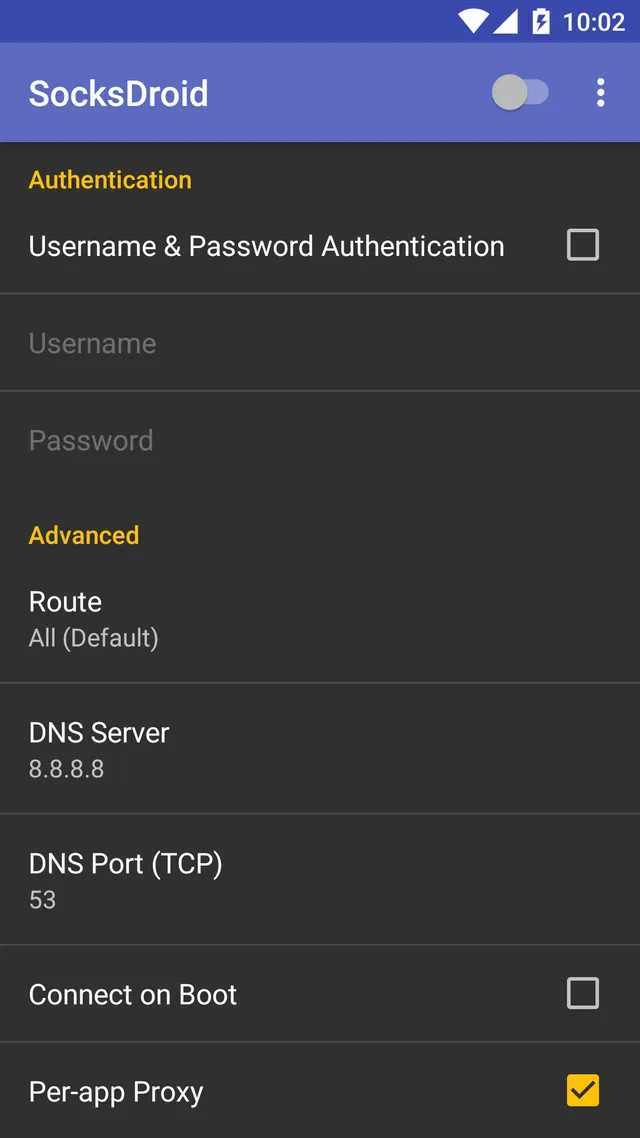
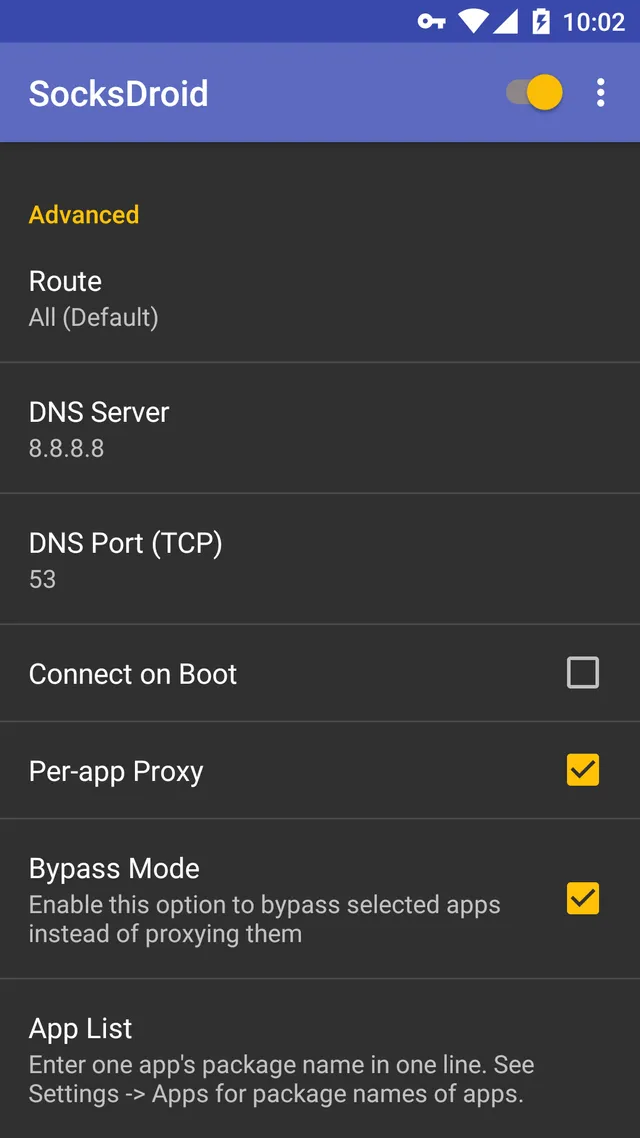
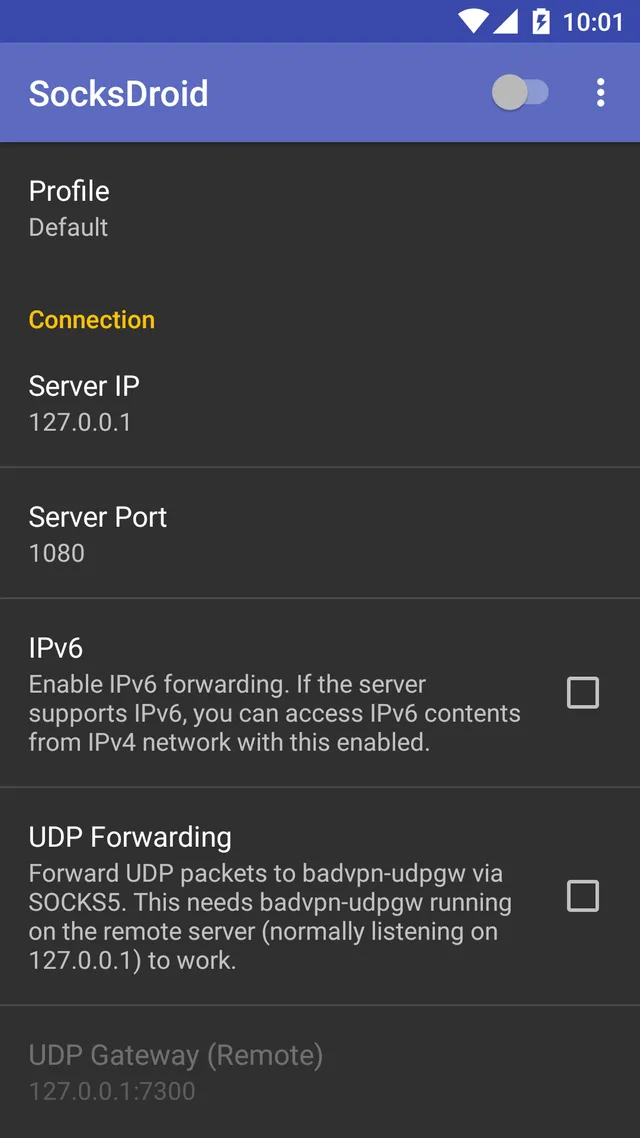
SocksDroid is a specialized networking tool that helps you manage your internet traffic. It allows you to route your device data through a secure proxy server. This tool gives you better control over your online privacy.
Many people need to secure their mobile connections. Public Wi-Fi networks often pose security risks to your personal data. SocksDroid solves this problem by creating a secure tunnel for your internet traffic. It uses the SOCKS5 protocol to encrypt and forward your data packets safely.
The tool works quietly in the background without slowing down your phone. It connects your device to a remote server seamlessly. Then, the server masks your real IP address from the websites you visit. This process protects your identity and location from unwanted tracking online.
You do not need deep technical knowledge to use this tool effectively. The setup process is quick and straightforward for most users. It provides a simple solution for a complex networking problem.
What is SocksDroid and How Does It Work?
SocksDroid is an open-source tool designed to implement SOCKS5 proxy connections on mobile devices. It acts as a bridge between your phone and the internet. The tool intercepts your network traffic and routes it through a proxy server.
When you open a website, the request goes to the proxy server first. The proxy server then fetches the website content for you. This mechanism hides your actual destination from your local internet service provider. It also prevents websites from seeing your true geographical location.
The tool utilizes the VpnService API built into the mobile operating system. This API allows the tool to handle all network traffic without requiring root access. It creates a local VPN tunnel that directs data to your specified proxy. Therefore, you get the benefits of a proxy across all your installed tools.
Key Benefits of Using SocksDroid for Mobile Security
Using SocksDroid enhances your mobile security on several different levels. First, it protects your data on unsecured networks like public coffee shop Wi-Fi. Hackers often monitor these networks to steal passwords and personal details. The tool prevents these attacks by routing your traffic through a secure server.
Second, it allows you to bypass strict network restrictions easily. Some workplaces or schools block access to specific websites and social platforms. This tool helps you access the open web by masking your traffic. The network filters only see a connection to your proxy server.
Third, it improves your online anonymity significantly. Websites track your browsing habits to build marketing profiles. This tool alters your digital footprint by changing your IP address constantly. You can browse the internet with more freedom and peace of mind.
- Secures public Wi-Fi connections instantly.
- Bypasses local network blocks and firewalls.
- Conceals your real IP address from web trackers.
- Works across all mobile internet browsers.
- Requires zero root permissions to operate.
How to Configure SocksDroid Properly
Configuring SocksDroid requires a few specific details from your proxy provider. You need the server IP address and the correct port number. Open the tool to find the configuration screen immediately.
First, enter the server address in the designated IP field. Second, type the port number into the port field accurately. If your proxy requires authentication, enable the username and password option. Enter your credentials carefully to avoid connection errors later.
Next, you can choose which tools use the proxy connection. The tool features a per-app routing option for better control. You can select specific tools to bypass the proxy entirely. This feature is useful for banking tools that require your local IP address. Finally, toggle the main switch to activate the proxy connection.
Comparing SocksDroid with Traditional VPN Services
SocksDroid differs from traditional VPN services in a few important ways. A standard VPN encrypts all network traffic by default. It often uses heavy protocols that can drain your phone battery quickly. This tool uses the lightweight SOCKS5 protocol instead.
The SOCKS5 protocol does not add heavy encryption by itself. It simply routes the data through a different server. This makes the connection much faster than a standard VPN connection. Therefore, it is ideal for tasks that require high internet speeds.
However, you must ensure your proxy server uses SSL or TLS for encryption. Without encryption, your data remains visible to advanced network sniffers. A VPN provides total security out of the box. This tool offers more flexibility and faster speeds for advanced users.
- Higher connection speeds due to lower protocol overhead.
- Less battery consumption on mobile devices.
- Requires manual server configuration by the user.
- Does not offer built-in server locations.
- Provides better control over specific app routing.
Common Troubleshooting Tips
Sometimes you might encounter connection issues while using SocksDroid. The most common problem is a wrong server configuration. Double-check your IP address and port number for typos. Even a single incorrect digit will prevent a successful connection.
If the settings are correct, check your internet connection. Switch between Wi-Fi and mobile data to test the network. Some internet providers block proxy connections entirely. In this case, you may need to change your proxy port.
Another common issue involves battery optimization settings on your phone. The Android operating system often closes background tools to save power. This action will terminate your proxy connection unexpectedly. Disable battery optimization for this specific tool in your phone settings. This ensures continuous protection while you browse.
Conclusion
SocksDroid offers a reliable way to manage proxy connections on your mobile device. It gives you the power to protect your privacy without sacrificing internet speed. The tool is lightweight, open-source, and completely free to use. It fills the gap between simple web proxies and heavy VPN services perfectly.
Setting up the tool requires some initial effort and accurate proxy details. However, the benefits of enhanced privacy and network freedom are worth the setup. You can secure your data on public networks and bypass frustrating blocks easily.
Take control of your mobile network traffic today. Download the tool and configure it with a trusted proxy server. You will enjoy a safer and more open internet experience immediately.
- GG Mouse Pro 3
- Terminal Emulator for Android
- Samsung LockStar
- Surfshark
- Tor Browser
-
F1 VM
 Download
F1 VM picture-in-picture android virtual machine
F1 VM picture-in-picture android virtual machine provides...
- NetShare
- 9Apps